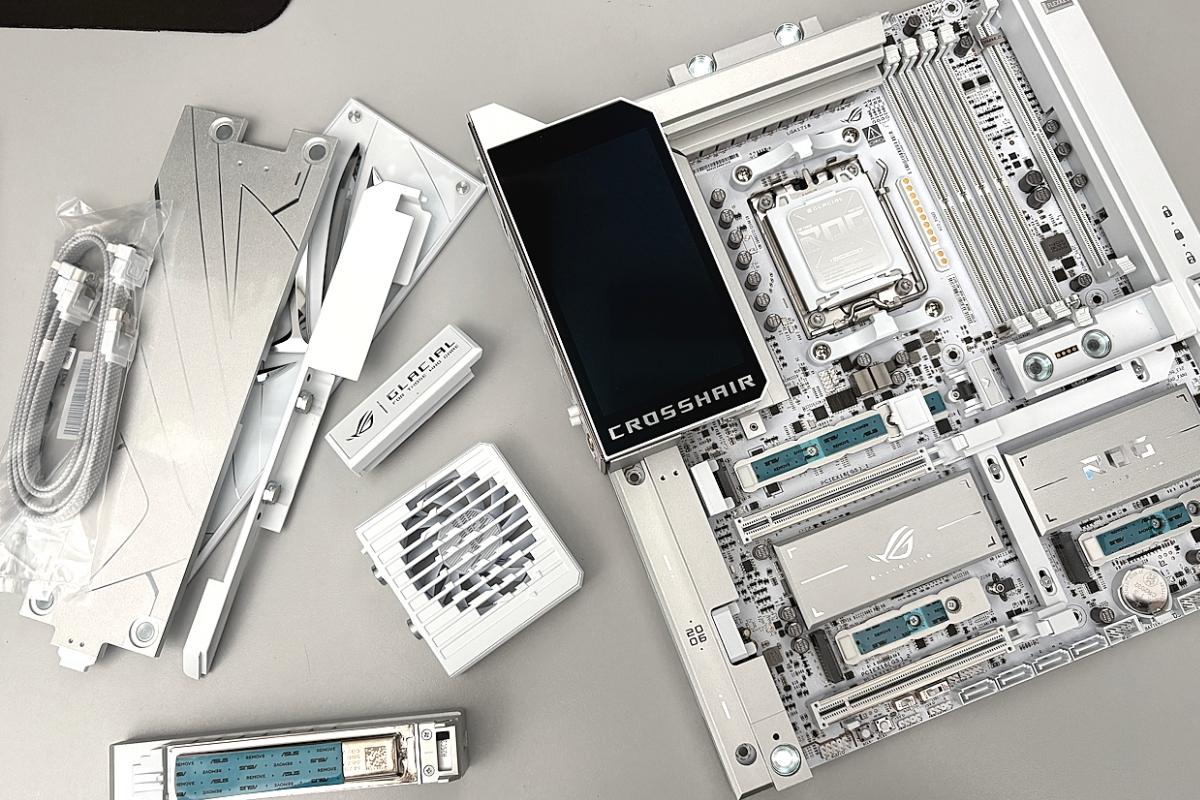
If you're thinking about building a computer or upgrading your existing one, you've probably realized that the motherboard is the heart of the entire system . It's not just a piece of plastic and metal where components fit; it determines which processor you can use, how much RAM you can install, and whether you can take advantage of the blazing-fast speeds of today's SSDs. Essentially, it sets the performance ceiling for your machine.
Sometimes we get confused by all the names and strange letters, but choosing a motherboard for AMD doesn't have to be a headache. The most important thing to know is that there are currently two main socket families : the veteran AM4 and the modern AM5. Depending on which one you choose, the ecosystem of components you need to buy will change completely, especially regarding RAM and connectivity.
Understanding Sockets: AM4 vs AM5
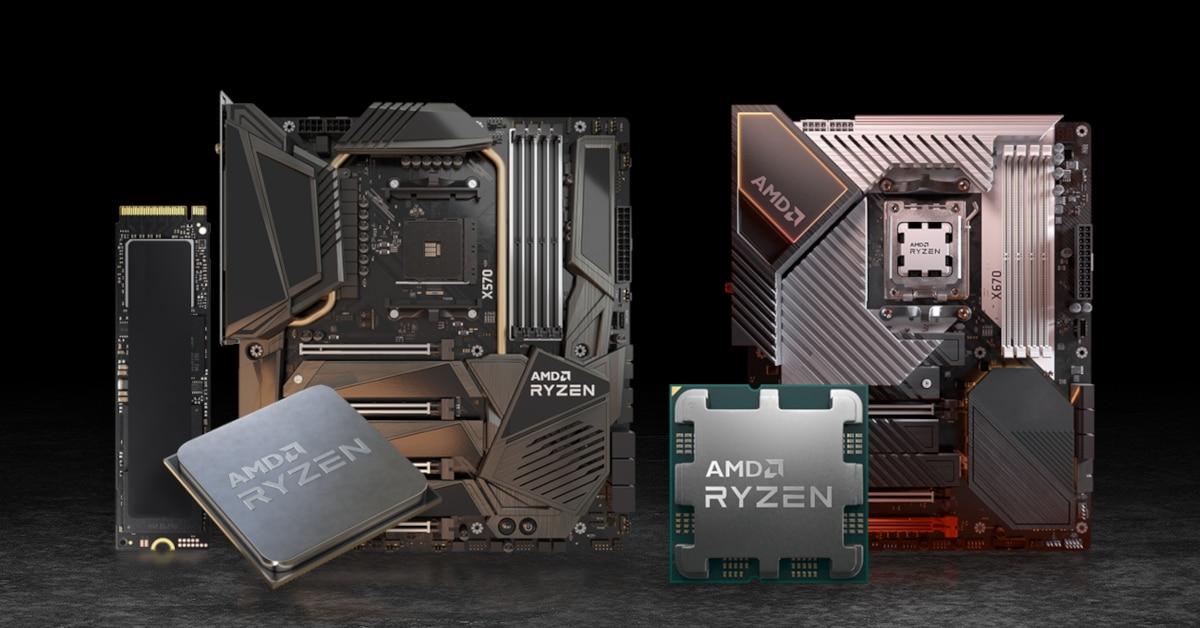
To begin with, the AM4 socket has been AMD's mainstay for years. It's compatible with a huge range of processors, from the Ryzen 1000 series to the 5000 series, including Athlon and A-series processors. The key takeaway here is that these motherboards work exclusively with DDR4 RAM . If you're looking for something affordable yet powerful, AM4 remains a very viable option, even if it's no longer cutting-edge technology.
On the other hand, we have the AM5 socket (also known as LGA 1718), which arrived to support the Ryzen 7000, 8000, and 9000 series. Here, the change is radical: it only accepts DDR5 memory , which represents a massive leap in speed. Furthermore, the AM5 introduces the PCIe 5.0 standard in many of its models, allowing graphics cards and M.2 drives to operate at unprecedented speeds.
The Chipset Maze
The chipset is the brain of the motherboard and defines the features of each model. In the new AM5 generation, we have a very wide range. At the top are the X870 and X870E , designed for enthusiasts and professionals who need the ultimate in overclocking, multiple USB 4.0 ports, and the maximum number of PCIe 5.0 lanes. They are expensive motherboards, but ideal for those who don't want any technical limitations.
If you're looking for the perfect balance, the B850 and B650 chipsets are the logical choice for most users. They offer solid performance, support for fast memory, and, in many cases, PCIe 5.0 for the graphics card. They're not usually as expensive as the X series, but they allow the processor to perform at its full potential without wasting money on features that a typical user would never even use.
At the opposite end of the spectrum are the A620 and B840 models . These are designed for tight budgets or office systems. The A620 is very basic and lacks PCIe 5.0, while the B840 sits in the middle, making it a smart choice for those who want a Ryzen with integrated graphics without spending a fortune on the motherboard. Here, you sacrifice expandability in exchange for a much lower price.
Formats and Sizes: Which one fits in your box?
Not all motherboards are the same size, and this is critical to ensure your PC isn't left unfinished during assembly. The ATX form factor is the most common standard, offering the most expansion slots and ports. It's the ideal choice if you have a mid-tower or large case and want room to add more drives or cards in the future.
For those who prefer something more compact, Micro-ATX is the star option. They're smaller, usually cheaper, and retain almost all the important features. They're perfect for balanced builds. Now, if you're looking for extreme minimalism, Mini-ITX is the way to go. They're tiny, ideal for living room PCs or very small setups, although they usually only have two RAM slots and are considerably more expensive due to their complex design.
Technical Aspects You Can't Ignore
When reading the specifications, pay close attention to the RAM. AM5 motherboards use AMD EXPO technology , which allows for easy configuration of overclocked memory profiles. It's vital that the RAM you buy is compatible with this standard to avoid sacrificing performance. Also, remember that the actual speed will depend on whether you install one or two modules per channel.
Regarding storage, most modern motherboards include at least one M.2 PCIe 4.0 or 5.0 slot . The difference is significant: a PCIe 5.0 SSD can reach speeds of up to 14 GB/s, although they require very powerful heatsinks because they run quite hot . If you're not a professional 8K video user, a PCIe 4.0 drive is more than sufficient and runs much cooler.
Don't overlook the rear connectivity either. These days, the minimum you'd expect from a mid-range device is 2.5 GbE Ethernet and Wi-Fi 6E . However, if you're looking for a high-end model, look for Wi-Fi 7 , which allows bandwidths of up to 320 MHz, minimizing latency—something competitive gamers will greatly appreciate.
Final Tips for Buying
If you plan on overclocking, don't skimp on the quality of the VRMs (voltage regulation modules ). Look for motherboards with robust heatsinks and digital power stages. A powerful processor on a cheap motherboard can suffer from thermal throttling , which will cause your CPU to reduce its speed to avoid overheating.
For content creators, there are specific lines like ASUS ProArt, which optimize workflow with USB 4.0 and Thunderbolt ports , allowing you to connect professional docks and high-resolution monitors with a single cable. This greatly simplifies things in video editing or 3D modeling environments.
With all this in mind, the key is to balance your budget between the processor and the motherboard. There's no point in buying the most powerful Ryzen if you put it on a motherboard that can't supply the necessary power or that limits its memory speed. By choosing the right socket, the chipset that suits your needs, and a form factor compatible with your case, you'll ensure you have a stable, fast machine ready for the challenges of the immediate future.
Table of Contents