When we decide to build a computer, it's normal to feel a little overwhelmed by the sheer number of options out there. It's not just about buying the most expensive parts, but about finding that perfect balance between components so the machine flies, whether it's for playing the most demanding video games, professional video editing, or simply having a smooth-running system for everyday office use.
The key to success lies in leaving nothing to chance. Configuring hardware is an art that requires patience, but it grants you the freedom to have a custom-built system , tailored precisely to your needs and, above all, your budget. In this sense, having configuration tools or expert advice prevents you from ending up with components that don't fit or create annoying bottlenecks.
The art of choosing and assembling hardware
To get off to a good start, the most important thing is selecting the components. We can't choose components at random; it's vital to verify the compatibility between the motherboard and the rest of the components. The motherboard is essentially the heart where the CPU, RAM, and storage drives connect, and there are various form factors and sizes that we need to be aware of to ensure everything fits in the case.
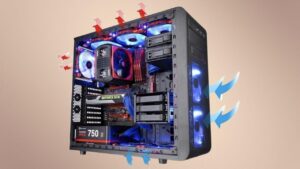
The logical assembly process begins by choosing the processor, whether Intel or AMD. Once this is decided, the process becomes simpler, as you can then select the motherboard and RAM compatible with that platform, as well as the appropriate heatsink to prevent the processor from overheating.
Next come the components that define power and aesthetics. We can't forget the graphics card (GPU) for visual performance, a reliable power supply that won't let the system down, and, of course, the case. For the more detail-oriented, adding RGB lighting and accessories allows the PC not only to function well but also to look spectacular.
A critical point that differentiates an amateur build from a professional one is quality control. It's not enough for the PC to simply power on; it's essential to perform prolonged stress tests , sometimes up to 8 hours, subjecting the GPU and CPU to maximum strain to ensure the system is stable and durable before it reaches the user.
BIOS settings and software configuration
Once the hardware is in place and everything is properly connected, we move on to the logical phase. The first step is to access the BIOS or UEFI . This is where the master settings are configured, such as defining the boot sequence or setting the RAM frequency to make the most of every megahertz.
Moving on to software, the ideal solution is to perform a clean installation of the operating system . This allows us to erase any remnants of previous versions and start from scratch, ensuring a much more stable system. From this point on, it's crucial to keep drivers updated so that the hardware communicates seamlessly with the software.
To prevent your computer from slowing down over time, it's advisable to implement some optimizations. This includes uninstalling unnecessary pre-installed programs and cleaning up temporary files. Additionally, setting up good backup software and a robust antivirus program is the only way to rest easy knowing your data is safe.
Installation and setup of peripherals
Internal hardware is useless if we can't interact with it. First, we need to connect the essentials: keyboard, mouse, and monitor. For them to function at full capacity, it's necessary to install the manufacturer's specific drivers , thus avoiding response problems or screen resolution errors. In this regard, we can analyze the vertical ergonomics and productivity of certain peripherals to improve the user experience.
If we're more advanced users or gamers, things get interesting. We'll install peripherals like printers, scanners, or cameras, configuring the network so they're shared devices. In the case of gaming, customizing buttons and joystick or steering wheel controls is the final step to fully immerse ourselves in the gaming experience.
Having an optimized system is the result of combining a smart selection of components, meticulous assembly, and fine-tuning of the software. From the choice of motherboard to the latest mouse driver, every detail counts to maximize technological potential and enjoy smooth, efficient computing perfectly tailored to our personal needs.
Table of Contents