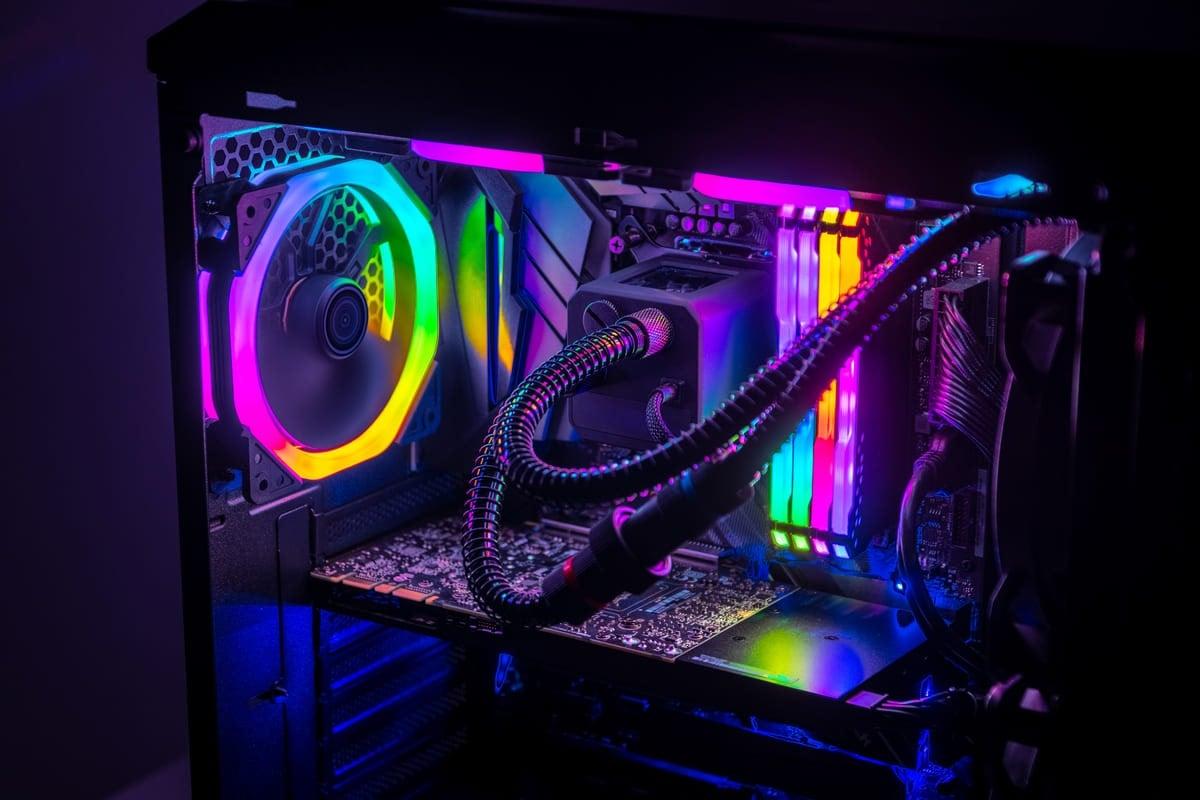
When you start getting seriously into the world of PC gaming, you discover that it's not all about raw power and RGB lighting . After hundreds (or thousands) of hours building systems, testing games like Satisfactory or Minecraft, or fine-tuning the perfect settings for that title you're hooked on, you learn one thing very clearly: the more you love hardware, the more you notice its flaws. And not because everything is suddenly bad, but because you become much more discerning and quickly identify which components are worth every penny... and which are just hype.
In this article, we'll review real opinions and practical criteria regarding hardware components : what makes sense to buy in 2026, which products are overpriced, which PC configurations look good on paper but hide flaws, and what details you should pay attention to in order to avoid wasting money. This isn't about demonizing brands or creating drama, but rather about calmly explaining what's worthwhile, what isn't, and why , based on user experiences, technical analyses, and common sense.
Opinions on building a PC from parts: real examples

One of the most common inquiries comes from someone who wants to build a powerful PC for 1440p or 4K gaming and has a nearly finalized parts list, simply seeking a second opinion. For example, configurations like:
Top-of-the-range Ryzen-type CPU with 3D V-Cache (like the 9000 X3D series), next-generation graphics card (RTX 5080 or similar), 32 GB of DDR5 RAM at 6000 MHz CL36, X870E motherboard, Lian Li O11 case, 360 mm AIO liquid cooling, 850 W ATX 3.1 power supply, 2 TB PCIe 5.0 SSD, and a good handful of ARGB fans.
This type of build perfectly reflects what many are looking for today: maximum performance in current and future games (Cyberpunk, GTA 6, BG3, etc.) at 1440p with the goal of upgrading to 4K, while also considering aesthetics and airflow. The doubts usually lie in details such as choosing between two specific AIO coolers, whether the power supply is wattage sufficient, or if the case will have good ventilation.
In general, a configuration like this is very well thought out because it balances CPU, GPU, fast RAM, a modern motherboard, and a very fast SSD . The risk lies in spending too much on flashy features (RGB fans, an expensive AIO cooler) and neglecting key elements such as a good power supply, a case with a mesh front panel, or not oversizing the graphics card if you're only going to play at 1080p.
It's also common to see users returning to PC gaming after many years who want a machine that will last them a long time without needing any upgrades . Their budget is around €2000, not including storage because they already have an SSD and HDD, and they plan to play games at ultra settings at 1440p and, later, upgrade to 4K. In these cases, the sensible thing to do is prioritize:
- Good current CPU + GPU combinationavoiding past generations at inflated prices.
- At least 32 GB of DDR5 RAM if you want to extend the useful life of the equipment.
- Quality source, even if you change your graphics card in the future.
- A well-ventilated case that doesn't require you to change it when you change your hardware.
With a smart selection of parts, a PC in that price range can last for several years at high/ultra settings at 1440p and still be useful when moving to 4K with some graphical compromises, as long as you don't get fooled by products that don't justify their price.
Graphics card and driver comparison: beyond benchmarks
When discussing hardware components , few things generate as much debate as GPU selection. A typical example is choosing between two older generation cards, such as a GTX 1070 Founders Edition versus an RX Vega 56, after upgrading from a 6GB GTX 1060.
If you only look at synthetic benchmarks or older comparisons, it will seem like everyone is saying something different : in some games the 1070 wins, in others the Vega 56, and besides, AMD's drivers have improved over time. In 2020 (and even more so now, with almost the entire catalog optimized), a Vega 56 with good drivers could compete with or even outperform the 1070 in certain titles.
However, the real-world, long-term experience depends on details such as driver support, power consumption, noise, temperatures, and stability . NVIDIA typically stands out for its highly polished ecosystem, tools like GeForce Experience, and a track record of solid drivers for new games. AMD, on the other hand, has improved significantly, offering very good performance for the price and advanced features integrated into its drivers.
The moral of the story here is that you can't just focus on the FPS of an older graphics card: current driver support, the technologies it incorporates, and power consumption are just as important. With older hardware, it's sometimes more worthwhile to sell and upgrade to a newer generation, rather than paying for a "small upgrade" between two older models.
The importance of the power supply: the heart of the equipment
The power supply is the typical component that many people leave until last, thinking that any old "high-wattage" one will do . Big mistake. The PSU is the element that distributes power to the entire system: motherboard, CPU, GPU, storage, fans... and its quality makes all the difference between a stable system and one riddled with problems.
A good rule of thumb is to allocate around 10% of the total PC price (excluding peripherals) to the power supply. You don't need to go for the most expensive one in the store, but you should look for models with decent efficiency certifications (80+ Bronze at least for entry-level models, although ideally Silver, Gold, Platinum, or Titanium depending on your budget) and with protection against overvoltage, short circuits, spikes, etc.
Brands like Seasonic, Enermax, Corsair, Cooler Master, and Be Quiet! are generally considered solid choices, with well-designed models and long warranties (5 to 12 years across many product lines). Seasonic and Enermax also manufacture many of their own platforms, which is usually a good sign.
An efficient power supply unit (PSU) not only wastes less energy, but also generates less heat and is usually quieter . Today, almost all quality power supplies are modular or semi-modular, allowing you to connect only the necessary cables and improving cable management inside the case.
On the other hand, there are generic or poor-quality power supplies, which can literally "take out" other components if they malfunction. Warning signs:
- Very high power at ridiculously low prices.
- Few connectors for the power they advertise.
- Lack of serious technical analysis of that range.
- Bad reputation among specialist communities, beyond superficial reviews in stores.
After years of testing and seeing power supply failures, it's crystal clear that a good mid-range PSU is preferable to a supposedly "powerful" but shoddy one . In the long run, it saves you from unpleasant surprises, noise, and strange shutdowns or freezes.
Cases and airflow: aesthetics vs. temperature
The PC case is usually chosen for its aesthetics, but its design greatly affects the system's cooling . These days, many towers feature tempered glass, numerous RGB/ARGB LEDs, and dual-compartment structures that conceal the power supply and cabling on one side, leaving only the "pretty" components visible.
Manufacturers like Cooler Master, Lian Li, Enermax, Corsair, and In-Win dominate the market for eye-catching cases, from compact Mini-ITX models (where you have to deal with SFX power supplies to make everything fit) to huge towers that look more like a display case than a traditional chassis.
The problem arises with cases that have a closed or very restrictive front panel . Even if they look beautiful, if the front panel has hardly any vents or openings, the intake of fresh air will be limited and CPU and GPU temperatures will skyrocket, especially with modern hardware that consumes more power than ever.
Generally speaking, it's preferable to choose cases with a mesh front panel , which allows for much greater airflow. The temperature difference between a mesh case and a completely sealed one can be significant, resulting in less noise (the fans don't have to run at full speed) and greater component durability.
It's also worth looking at details such as:
- Easy to remove the front panel and clean dust filters.
- Space for 240/280/360 mm radiators if you are going to use AIO.
- Space to properly manage cables behind the motherboard.
- Maximum height for air coolers and length for GPU.
A nice-looking but poorly ventilated case can turn your PC into a noisy and unreliable oven , while a well-designed, even inexpensive, mesh case offers a better balance between aesthetics, temperature, and maintenance.
Cooling: Air vs Liquid AIO and Custom RL
In any modern PC, cooling is key to maintaining reasonable temperatures and preventing thermal throttling . The most common systems are tower-style air coolers and liquid cooling systems, whether AIO (All-in-One) or custom loops.
Air coolers offer an excellent price-to-performance ratio , with very capable and quiet models from brands like Noctua, Enermax, Thermalright, and Cooler Master. Their main drawback is aesthetics: a large aluminum tower with heatpipes in the middle of the motherboard isn't usually the most visually appealing if you have a glass side panel, but in terms of performance, many still compete with mid-range AIO coolers.
Liquid cooling, on the other hand, allows you to distribute heat to a radiator that you can place on the front, top, or side of the case, with fans that expel the heat from the chassis. AIO solutions (Kraken, EK models, Alphacool, etc.) are especially popular because they come pre-assembled, require no regular maintenance, and are relatively easy to install.
A custom liquid cooling loop offers even more flexibility: you can cool the CPU, GPU, and other components with a single loop , using custom-made blocks, reservoirs, pumps, and radiators. It's the most powerful and impressive option, but also the most expensive, complex, and delicate to install.
When choosing, the key is to be realistic: if you're not going to do heavy overclocking and your case has good airflow, a good air cooler might be more than enough . If you want quiet operation under heavy loads, aesthetics, and better heat management in tight cases, a 240mm or 360mm AIO makes a lot of sense.
RAM: capacity, performance and aesthetics
RAM has gone from being a boring green module to one of the most customizable PC components. Today you have DDR4 and DDR5 modules with heat spreaders in every color, integrated RGB lighting, and XMP/EXPO profiles to easily get more performance out of them.
Brands like G.Skill, Corsair, Kingston, and Crucial are the most common on the market, although the memory chips they use come from major semiconductor manufacturers (Micron, Samsung, Hynix, etc.). These integrators are responsible for selecting chips, designing the PCB, and configuring the profiles to offer different ranges and frequencies.
On almost any modern platform, it's recommended to install memory modules in pairs (for example, 2 x 8 GB, 2 x 16 GB, or 2 x 32 GB) so the motherboard can operate in dual-channel mode. This significantly increases the effective memory bandwidth, resulting in faster loading times and higher FPS in some games , as well as a more responsive system for demanding tasks.
In 2026, for a gaming and general-purpose PC that you want to keep for years, 32 GB of RAM is a sensible minimum . For heavy-duty workstations (video editing, virtual machines, professional 3D), 64 GB or more is no longer unreasonable.
Storage: QLC SSD, SATA SSD and HDD, which is worth it?
Storage is one of the areas where things have gotten most confusing with so many types of SSDs. Today we have NVMe M.2 SSDs with TLC or QLC memory, SATA SSDs, and the classic mechanical hard drives (HDDs) . Not all of them make the same sense in a new PC.
QLC (Quad-Level Cell) SSDs use cells that store 4 bits, increasing density and lowering the cost per GB, but in return, they offer lower durability and worse sustained performance than SSDs with TLC (Triple-Level Cell) memory. For large capacities (4 TB or more), they can be a reasonable option, but for 1 TB or 2 TB, the price difference with TLC is usually so small that sacrificing performance and lifespan isn't worth it.
A typical example would be choosing a model like the Crucial P3 Plus (QLC) over a Crucial P5 Plus (TLC). For a little more, the TLC offers better real-world speeds, improved write endurance, and more consistent performance when the drive is full or under prolonged heavy loads.
Regarding SATA SSDs , they still make sense as an upgrade for older PCs or laptops that lack M.2 NVMe slots. However, for new builds with modern motherboards, it's difficult to justify them except for very specific limitations, because M.2 NVMe SSDs have dropped significantly in price and are far superior in speed.
As for mechanical HDDs , they are becoming increasingly rare in general-purpose PCs. They are noisy, slow, and generate vibrations; in modern games and applications, they can cause serious bottlenecks. They remain very useful in NAS devices, backup servers , or inexpensive mass storage, but in a new PC geared towards gaming or light productivity, they are rarely a good buy.
Given the same budget, it is often preferable to opt for:
A single high-capacity SSD or two NVMe SSDs (system + games/data) instead of combining a small SSD with a large but very slow HDD.
The user experience is greatly improved if the entire system, games, and programs run from fast and quiet drives.
Gaming monitors: VA vs. IPS
Another area where opinions are divided is gaming monitors, especially VA vs. IPS . VA panels generally offer better native contrast and deeper blacks, which sounds great on paper for gaming, although it's worth checking the connectivity (for example, USB-C to HDMI ). The problem is that many VA models have slower response times and significant ghosting , especially in dark scenes and with fast movements.
With the arrival of Fast IPS and Nano IPS panels , IPS technology has narrowed the gap in contrast and color, while maintaining or improving response speed, approaching the renowned 1 ms GtG without excessive overshoot. Therefore, for most gamers seeking smooth gameplay, sharp motion, and good color reproduction, a quality IPS monitor is usually the most balanced option.
That doesn't mean all VA panels are bad, far from it. There are well-tuned VA models that perform superbly, but if the price is similar and you don't have a very specific reason to prefer VA (like prioritizing high contrast for movies), the general recommendation usually leans towards an IPS gaming panel with a good refresh rate (144 Hz or more) and response times proven in independent tests.
Pre-built gaming PCs vs. custom-built PCs
The eternal debate: should I buy a pre-built gaming PC or build it myself from scratch? The answer, in many cases, is that a well-chosen PC built from individual parts offers better value for money than a typical pre-built PC from a large retailer.
It's easy to find computers from well-known brands with unusual combinations, such as a very powerful CPU paired with an older generation GPU at an exorbitant price. For example, PCs with an i7-12700K processor and an RTX 3070 Ti for almost €3000, when by building from scratch you can get something with an RTX 4070 Ti (clearly faster) and a better processor for just over €2000.
If we look at pre-built systems from lesser-known brands or small assemblers, the problems can be even greater: Single Channel RAM, generic power supplies without certification, poorly ventilated cases, heavily cut-down motherboards … all packaged with gaming marketing and an inflated price.
There are exceptions, such as some specialized stores that compete directly with their own assembly services and offer more honest configurations . Even so, they often rely on older hardware they want to clear out, though without reaching the exorbitant prices of certain brand-name equipment.
If you feel up to it, the ideal approach is to design your own configuration, use compatibility tools (like PCPartPicker), and get several opinions before buying . Building it yourself allows you to fine-tune each component to your exact needs and better control your budget.
Keyboards: membrane, mechanical and fake hybrids
When it comes to gaming keyboards, the consensus among most enthusiasts is clear: a mechanical keyboard is almost always the most logical choice . There are very decent options available for between €30 and €40, and even for a bit less, with all kinds of switches, TKL or compact form factors, and good durability.
Gaming-oriented membrane keyboards, on the other hand, offer virtually no advantages over mechanical ones: they tend to last less time, the keystroke feel is less precise, and, to top it all off, many aren't even cheaper. Added to this is the marketing of terms like "mechanical-membrane" or "hybrid," which in practice lack a solid technical basis and serve more to justify inflated prices.
That's not to say there aren't high-quality membrane keyboards , but their strength is usually typing: low-profile "chiclet" keyboards or those designed for long work sessions, very quiet and comfortable. In fact, some users prefer to use a high-end membrane keyboard for typing all day and then switch to a compact mechanical keyboard when it's time to game.
The key is to be clear about your primary use: if your absolute priority is gaming, go straight for a mechanical keyboard . If you prioritize writing and noise is an issue (shared office, nighttime use, etc.), you can keep a good membrane keyboard, but don't be seduced by "gaming" models that only add RGB without improving the actual experience.
Reviews of motherboard brands and after-sales service
In forums and specialized stores, the idea is often repeated that, when it comes to motherboards, there are practically no "bad" brands these days , but rather ranges with varying features and better or worse value for money. Brands like ASUS, MSI, Gigabyte, ASRock, etc., offer solid options in almost every segment.
Some small distributors with many systems assembled under their belts say that, in their experience, they've had very few RMAs with ASUS motherboards , for example, and that they greatly appreciate the ease of finding drivers and BIOS updates, even for discontinued models. This perceived reliability and good after-sales support are factors that often aren't listed in the technical specifications, but they matter.
It's also important to clarify that ASUS and ASRock are not "the same thing ," even though they share a corporate origin: each has its own catalog, design approaches, and product lines geared towards different audiences. Reducing the choice to "one is the cheaper version of the other" is an oversimplification.
Ultimately, rather than committing to a specific brand, the important thing is to analyze each individual model : power phases, available M.2 ports, rear connectivity, support for future CPUs (if possible), integrated audio quality, etc. And, of course, consider warranties, RMA policy, and the manufacturer's reputation for responsiveness when problems arise.
"Not recommended" hardware products: bad purchase ≠ useless product
There's a whole category of components that, while not necessarily disastrous, are considered less than ideal given their price . We're not talking about hardware that doesn't work, but rather products that, for the same money (or a little more), are clearly outclassed by better alternatives.
This category includes, for example, QLC SSDs versus TLC in certain capacities , some VA gaming monitors with poor response times, expensive "hybrid" keyboards with no real advantages, power supplies with inflated specifications, or cases with closed fronts that stifle airflow.
It's important to note that if you've already bought one of these products, it doesn't mean your computer is a disaster . It simply means there might have been better options for a similar price. In many cases, these components can also become attractive when they go on sale, adjusting their price to reflect their true value.
The goal of these lists and opinions isn't to create fear or dogma, but to give you context so you can make a more informed purchase . With a little research and by comparing different sources, it's perfectly possible to avoid exaggerated marketing and focus on what offers the best performance and reliability for your money.
After reviewing real-world configurations, GPU comparisons, power supplies, cases, storage, monitors, keyboards, and motherboards, it's clear that building a balanced PC isn't just about choosing the most expensive components or what everyone else is using. By focusing on a quality power supply, good ventilation, NVMe TLC storage, a fast IPS monitor, dual-channel RAM, and avoiding pseudo-gaming features with dubious marketing , you can achieve a cooler, quieter, and more durable system with a better gaming and work experience, without paying a premium for components that don't deliver as much as they promise.

Table of Contents
- 1 Opinions on building a PC from parts: real examples
- 2 Graphics card and driver comparison: beyond benchmarks
- 3 The importance of the power supply: the heart of the equipment
- 4 Cases and airflow: aesthetics vs. temperature
- 5 Cooling: Air vs Liquid AIO and Custom RL
- 6 RAM: capacity, performance and aesthetics
- 7 Storage: QLC SSD, SATA SSD and HDD, which is worth it?
- 8 Gaming monitors: VA vs. IPS
- 9 Pre-built gaming PCs vs. custom-built PCs
- 10 Keyboards: membrane, mechanical and fake hybrids
- 11 Reviews of motherboard brands and after-sales service
- 12 "Not recommended" hardware products: bad purchase ≠ useless product