The latest model of Apple's Macbook is called the Macbook TouchBar, a laptop with a touch screen that functions as a shortcut to certain applications and program functions. Something that is useful and desired by many users, but also something that many other Apple lovers are not liking.
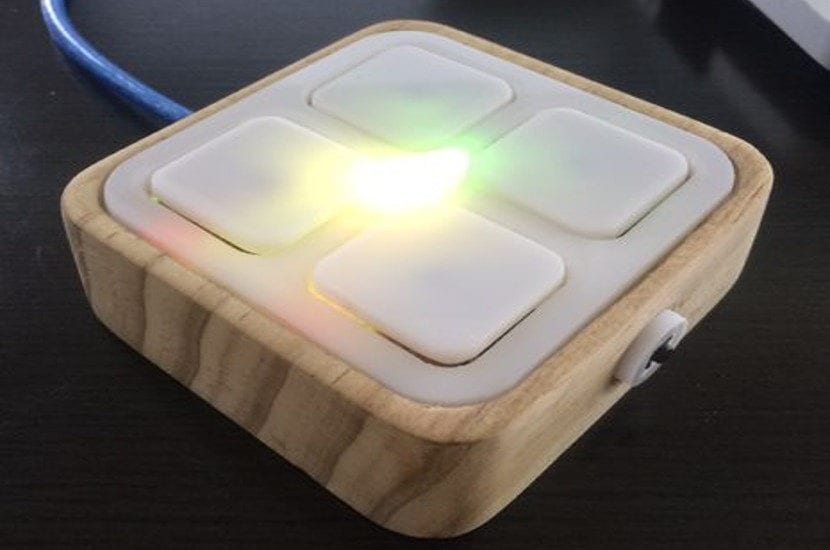
A user has created something similar to the Touch Bar without needing to buy a new MacBook or even have a touchscreen, using only an Arduino Nano board. The project has been dubbed the "laptop remote control ." It looks like a TV remote, but it allows you to launch any application you want.
With an Arduino Nano you could create a remote control for your macbook as a TouchBar
Carl Gordon's project, in addition to using an Arduino Nano, utilizes certain components that we can alter, recycle, or change to our liking. We can even use an old TV remote control, replacing its internal components with an Arduino Nano and its settings. Once we've created this gadget (you can find the exact guide here ), we need to install the software specifically designed for it and then connect it to the laptop.
Once the remote control is connected to your MacBook, you need to select which applications it will open. By default, this remote control supports up to four applications at a time, usually your four most frequently used applications, but you can choose which applications to use, though it will always be four.
This remote control by Carl Gordon works almost exactly like the Touch Bar , and if you constantly use your laptop, this remote could be a great option. Otherwise, this project doesn't seem very effective, do you think?